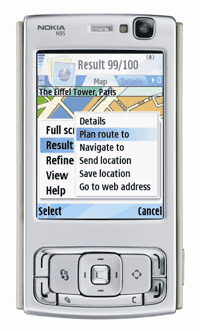
N95 is a great phone but it also has many things that could be improved. Nokia has already released specs for N96, the successor to N95. According to the specs, N96 is most likely going to receive it's share of critique.
Now it's time to see what N95 users really think of their phone. Starting today, there will be a new poll each week. We'll ask your opinion on N95, it's features and what you think is missing from your phone.
The first poll is about battery life - probably the most criticized feature of N95. Give us your opinion and we'll combine your answer into specs of what N95 or it's successor should be.
Showing posts with label battery life. Show all posts
Showing posts with label battery life. Show all posts
Saturday, March 22, 2008

Monday, May 21, 2007
More about batteries
When my N95 was new I found out a way to increase the battery life. At first the battery was only lasting for one day. I thought I'd try something. One day after charging the phone I used the phone for a couple of minutes (use camera, read emails or whatever) just to reduce the battery charge a little bit. Then I plugged it back in and it started to charge again. I thought it would stop charging very quickly but no - it went on for half an hour or so. After the extra charging treatment the battery lasted for two days instead of one day.
I'm not an expert on batteries. I don't know what happened or why and I don't know if it can damage the battery in some way, so I can't recommend anyone to try the same. Anyway, after doing the "charge - use a couple of minutes - charge" cycle a couple of times within one week it seemed like the battery was taking much more charge and lasted longer. I'm not sure if it was that or if the battery just needs to be charged 5, 10 or 20 times before it reaches its maximum capacity. It worked for me though. Now the battery lasts for at least two days and if I don't use it a lot I get three days out of it.
Oh, and I have bluetooth always on but WLAN off.
One more thing. If you connect your phone to your computer using the USB cable, don't forget to unplug it after you've finished. Having the USB connected seems to draw a lot of juice out of the battery. At first, I thought you might be able to charge the phone using the USB cable. Wrong, it seems to do the exact opposite.
 Talking about USB and batteries, there's a handy USB charger from Nokia (CA-100).
I'm not an expert on batteries. I don't know what happened or why and I don't know if it can damage the battery in some way, so I can't recommend anyone to try the same. Anyway, after doing the "charge - use a couple of minutes - charge" cycle a couple of times within one week it seemed like the battery was taking much more charge and lasted longer. I'm not sure if it was that or if the battery just needs to be charged 5, 10 or 20 times before it reaches its maximum capacity. It worked for me though. Now the battery lasts for at least two days and if I don't use it a lot I get three days out of it.
Oh, and I have bluetooth always on but WLAN off.
One more thing. If you connect your phone to your computer using the USB cable, don't forget to unplug it after you've finished. Having the USB connected seems to draw a lot of juice out of the battery. At first, I thought you might be able to charge the phone using the USB cable. Wrong, it seems to do the exact opposite.
 Talking about USB and batteries, there's a handy USB charger from Nokia (CA-100).
Sunday, May 20, 2007
Battery life
A lot has been written about the battery life of Nokia N95. Some say the battery doesn't even last one day while others are saying it lasts for several days. I'd say, for average user, the truth is probably somewhere in the middle. When I got my N95, I first fully charged the battery before starting to use the phone. After the first charge, it run for one day. I have to say I was slightly disappointed to find out that after just one day of use, I had to plug it in for a recharge. On the other hand I knew the phone was new and I had been using it almost all the time to find out what it can do. Usually the batteries start to accept more charge after you have charged it a couple of times. I was hoping it would improve.
Then one day I woke up in the morning to find out that the battery was almost empty. And I was 100% sure that I had charged it the previous evening. What was happening??? It turned out that after charging my phone last night I had used the camera and played System Rush, one of the free games that comes with N95. When I stopped playing, I had not gone through the menu to quit the game, but pressed the red "end call"-button to return to the main menu. In my previous phone that was all I had to do to quit a program I was using. However, in N95 it seems like it leaves the software running in the background.
So, I learned my lesson and close the software I use and from time to time check if I have accidentally left any software running. Now my phones's battery lasts for 2-3 days and that includes phone calls and using the camera and GPS. Not so bad.
Tip of the day: if you want to increase your battery life, make sure that you don't have any unused software running in the background. To find out what programs are running, keep the menu-button (see the picture below) pressed for a second or so and you'll get a list of all open software. There you can easily select the ones you want to close.

Then one day I woke up in the morning to find out that the battery was almost empty. And I was 100% sure that I had charged it the previous evening. What was happening??? It turned out that after charging my phone last night I had used the camera and played System Rush, one of the free games that comes with N95. When I stopped playing, I had not gone through the menu to quit the game, but pressed the red "end call"-button to return to the main menu. In my previous phone that was all I had to do to quit a program I was using. However, in N95 it seems like it leaves the software running in the background.
So, I learned my lesson and close the software I use and from time to time check if I have accidentally left any software running. Now my phones's battery lasts for 2-3 days and that includes phone calls and using the camera and GPS. Not so bad.
Tip of the day: if you want to increase your battery life, make sure that you don't have any unused software running in the background. To find out what programs are running, keep the menu-button (see the picture below) pressed for a second or so and you'll get a list of all open software. There you can easily select the ones you want to close.

Subscribe to:
Posts (Atom)

